
Log in to:
Is it the school office? The deputy head? The teacher who’s good with a camera? Or no one at all?
The school photographer comes once a year. New colleagues who start in October, or come back from leave in March, are left with an empty grey silhouette in school systems until next year.
Handling and adjusting photos and uploading them to all the different school platforms and systems, the website and the ID card takes time the office doesn’t have
No studio, no photographer, no booking. The school secretary or a colleague takes the photo with a phone, and the app guides them through it.
When a new teacher, temp or student teacher starts, their photo can be taken in the morning and be in school systems before the first lesson.
The same portrait can be used in school systems, on the school website, on staff ID and key cards, in Teams or Outlook, and on the staff board in the entrance hall.
Every photo gets the same crop, light and background, so the staff looks like a team. If the school or municipality changes its visual identity, all portraits can be updated at once.
Start with your own school, or roll it out across all schools in the municipality. It works the same way either way.
Consent, storage and deletion are handled in one place, in line with the municipality’s data protection requirements. When someone leaves, their photo can be deleted automatically.
Don’t change what you already do, unless you want to. The platform accomodates portraits from any camera – from pro SLRs to smartphones and photo-bots.
The platform lets everyone easily view, select and change their own preferred picture, as well as downloading it for personal use and LinkedIn.
Intelligent integration ensures that portraits are updated across all organisational systems and automatically shares them to e-mail, intranet, identity badges, LinkedIn and more.
Have a continuous overview of all organisational portraits throughout the employee journey. No matter where they are located. Goodbye to “Photo coming soon”.
The staff photo does two jobs: it shows who you are, and it confirms that you belong at the school. When all photos have the same calm, consistent style, the school looks coherent everywhere, on the website, in school systems and in Teams. And when photos are updated as people join, change roles or leave, it’s easier to see at a glance who’s who. One good photo, many uses. A clearer overview for everyone
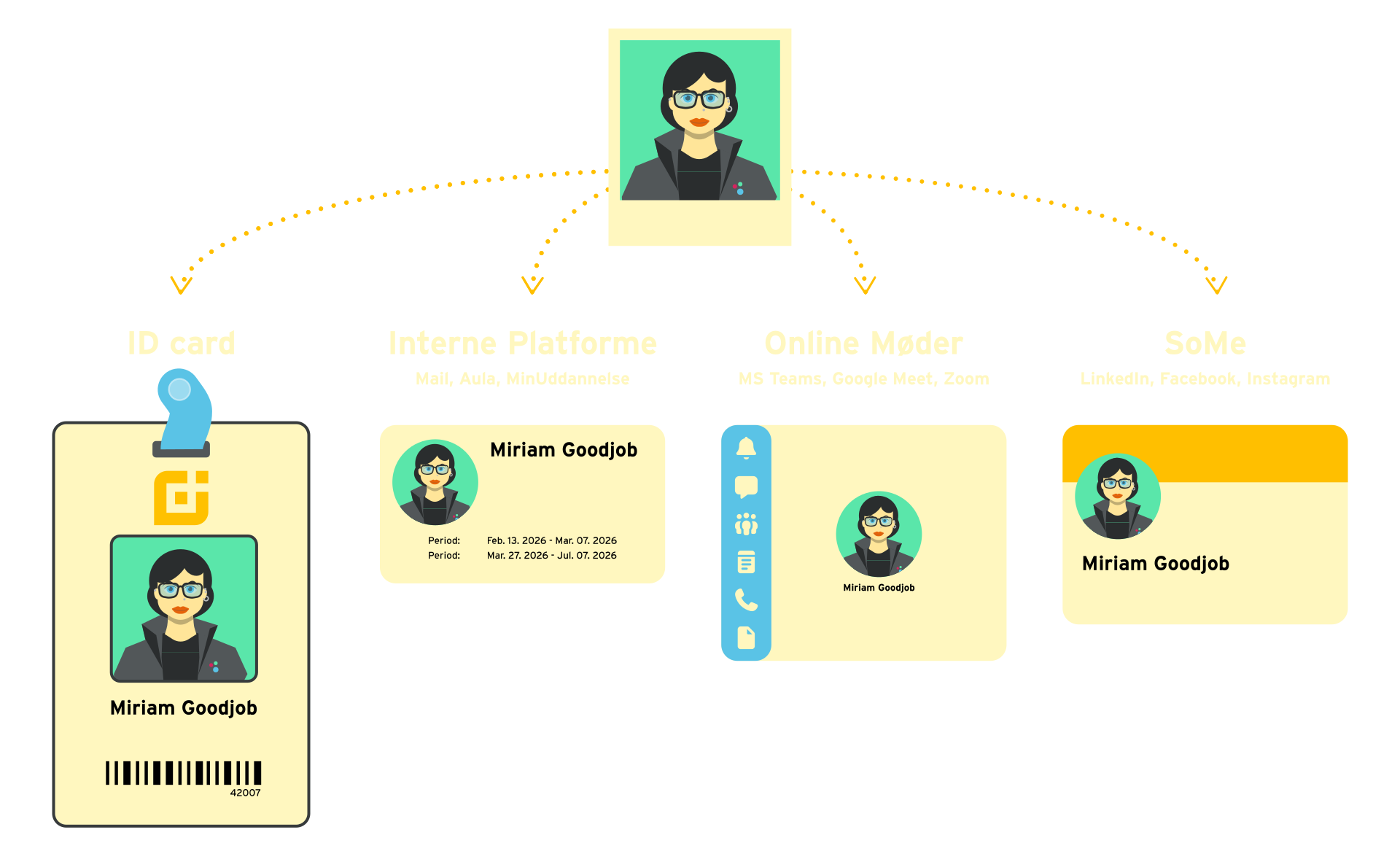
The school has a clear owner of the task, and photos flow automatically to the systems you already use. From school systems to the website and email, every colleague is presented in the same friendly, professional way, without extra work for the office.
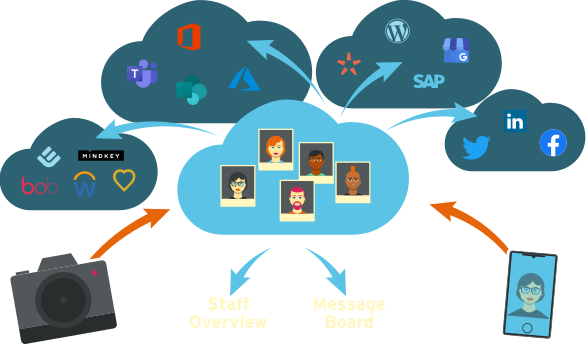
Upload a portrait to discover how our automated image editing transforms your portrait
No image selected
Please feel free to contact us should you have any questions or inquiries.
We have gathered the most important tips and tricks in an easy-to-follow guide – dedicated to helping people who need to take great pictures of their co-workers or employees for ID-cards, newsletters or SoMe-purposes. Absolutely free.
Please provide your contact information and we will get back to you regarding a free webinar with a demonstration of the most efficient way to handle corporate portraits.